

← WordPress & WooCommerce Development

FREE DOWNLOAD · VERSION 1.1.0

Image Cleanup

Review older unattached image candidates in your WordPress media library. Check references, inspect the results, and explicitly select the images you want to remove. Nothing is deleted during a scan.
What Image Cleanup helps you do

Candidate scanning

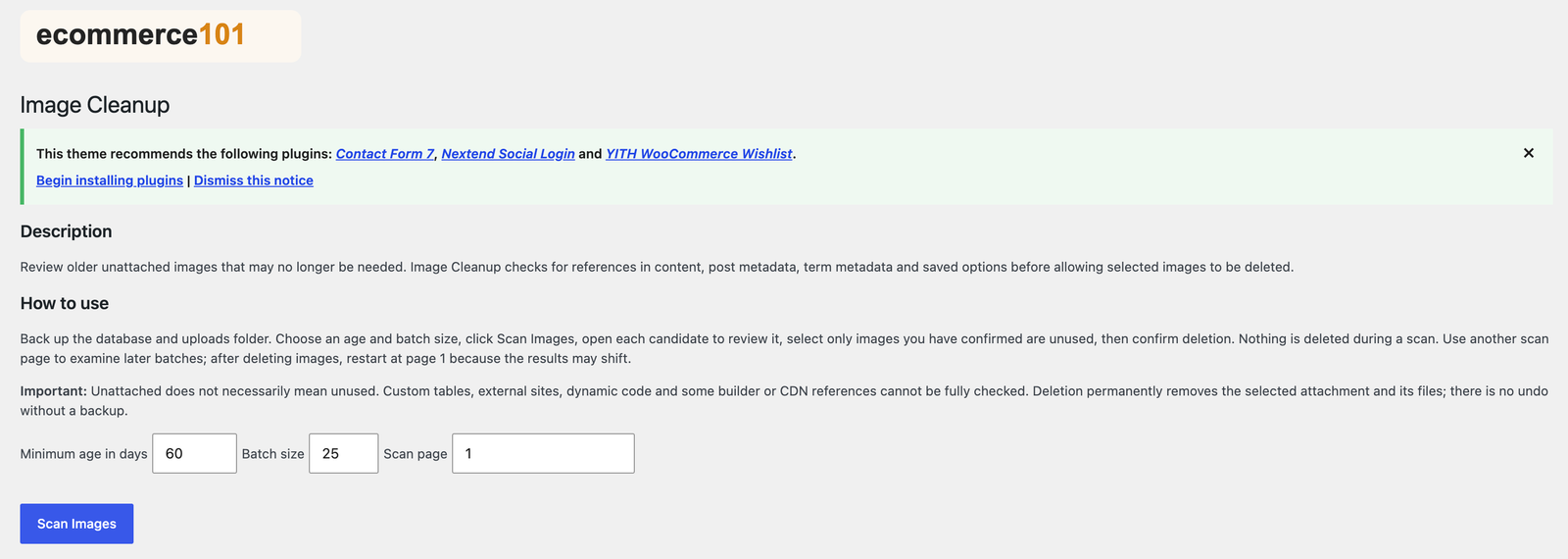
Choose a minimum age, batch size and scan page to review older unattached images.

Reference checks

Checks content, post metadata, term metadata and saved options before allowing selected images to be deleted.

Manual review

Open candidates and inspect them before selecting images for removal.

Confirmed deletion

Deletion requires your selected images and explicit confirmation. The plugin rechecks candidates before removal.

A look at the settings

Image Cleanup settings with Ecommerce101 branding

How to install and use

  1. Back up your database and uploads folder.
  2. Upload the ZIP through Plugins → Add New → Upload Plugin and activate it.
  3. Open Media → Image Cleanup.
  4. Choose the minimum age, batch size and scan page, then click Scan Images.
  5. Review each candidate and select only images you have independently confirmed are unused.
  6. Confirm deletion of your selected images. After deleting a batch, restart scanning at page 1.

Requirements and useful notes

  • Requires WordPress and PHP 7.4+. WooCommerce is not required.
  • Unattached does not necessarily mean unused. Review candidates before deleting.
  • Custom tables, external sites, dynamic code and some builder or CDN references cannot be fully checked.
  • Deletion permanently removes selected attachments and their files. Keep database and uploads backups.
  • No automatic background deletion is enabled.

Need help with setup?

Contact Ecommerce101 with the plugin name and your store details.